
Three rejections, and the guide that would have prevented all of them.
We spent six months getting an MCP server through OpenAI's review. It was rejected three times, and not once because the server did the wrong thing. Every step below is a published requirement, with what we got wrong at each one.
Two notes before we start. OpenAI's documentation now says plugin, and the portal calls it the plugin directory. People still say "ChatGPT app" in conversation. Same thing. And an MCP server is a small web service that exposes your product's actions to an AI assistant. If you have a REST API already, the MCP server sits in front of it and describes each action in a way a model can call. Each action is a tool.
Every tool carries four true/false flags describing how it behaves: whether it only reads, whether it can destroy something, whether calling it twice is safe, and whether it reaches outside the user's own account. Ours has 46 tools, so 184 flags. Those flags caused two of our three rejections, which is why most of this guide is about them.
What the reviewer is actually looking at
The reviewer is not auditing your architecture. They check five things. You can get all five wrong while shipping a perfect implementation, and get all five right without writing a line of code.
Who you are. Are you a verified individual or organisation, and is the developer name on the listing that same verified name? If the registered entity is "Acme Software Pvt Ltd" and you type "Acme", that is a mismatch, and it is a rejection.
Your domain. Can you prove you control the domain your server runs on? They give you a random string, you serve it at a fixed URL on that domain, they fetch it and compare.
Signing in. Is the sign-in clear about what is being granted, and can a reviewer get into an account and see real data? If your login mails a code to an inbox the reviewer does not have, they cannot get in, and that alone fails you.
Your tools. Does every tool have a name and description a stranger understands, ask only for what it needs, and honestly declare what it does? A tool called handler_3 fails the first part. One that asks for the user's whole conversation history fails the second. One named get_translation that quietly writes a row the first time you call it fails the third, which is exactly what ours did.
Your listing. Do the name, description and screenshots accurately represent the plugin? A screenshot of your permission dialog is a picture of your plumbing, and it will be sent back.
All three of our rejections landed in the last two. None was about the server.
Before you start
- A working MCP server on public HTTPS. Note the full URL including its path, usually
/mcp. The official SDKs are@modelcontextprotocol/sdkfor TypeScript andmcpfor Python. - An OpenAI Platform account with an organisation and a role that can manage plugins. If the plugins area is missing, that is a permissions problem, not a bug.
- The portal, at
platform.openai.com/plugins. Everything below happens there. - A paid ChatGPT account, so you can turn on developer mode and test your own server.
- A logo and a demo account.
- Four URLs, asked for at submission: website, support, privacy policy, terms of service. The last two can be written later, at step 7.
The ten steps
1. Verify who you are. Submissions must come from a verified individual or organisation. You verify identity in your OpenAI Platform settings, and the developer name on the listing has to be that verified name, character for character. Not your product name, not your trading name. If you plan to publish under a company, start business verification early, because it is slow, and finish it before you submit rather than after you are told to. This is the cheapest rejection to avoid and it cost us a full review cycle.
2. Prove you control the domain. The portal gives you a token to serve at /.well-known/openai-apps-challenge on the same host as your server. The file holds the token and nothing else: plain text, no JSON wrapper.
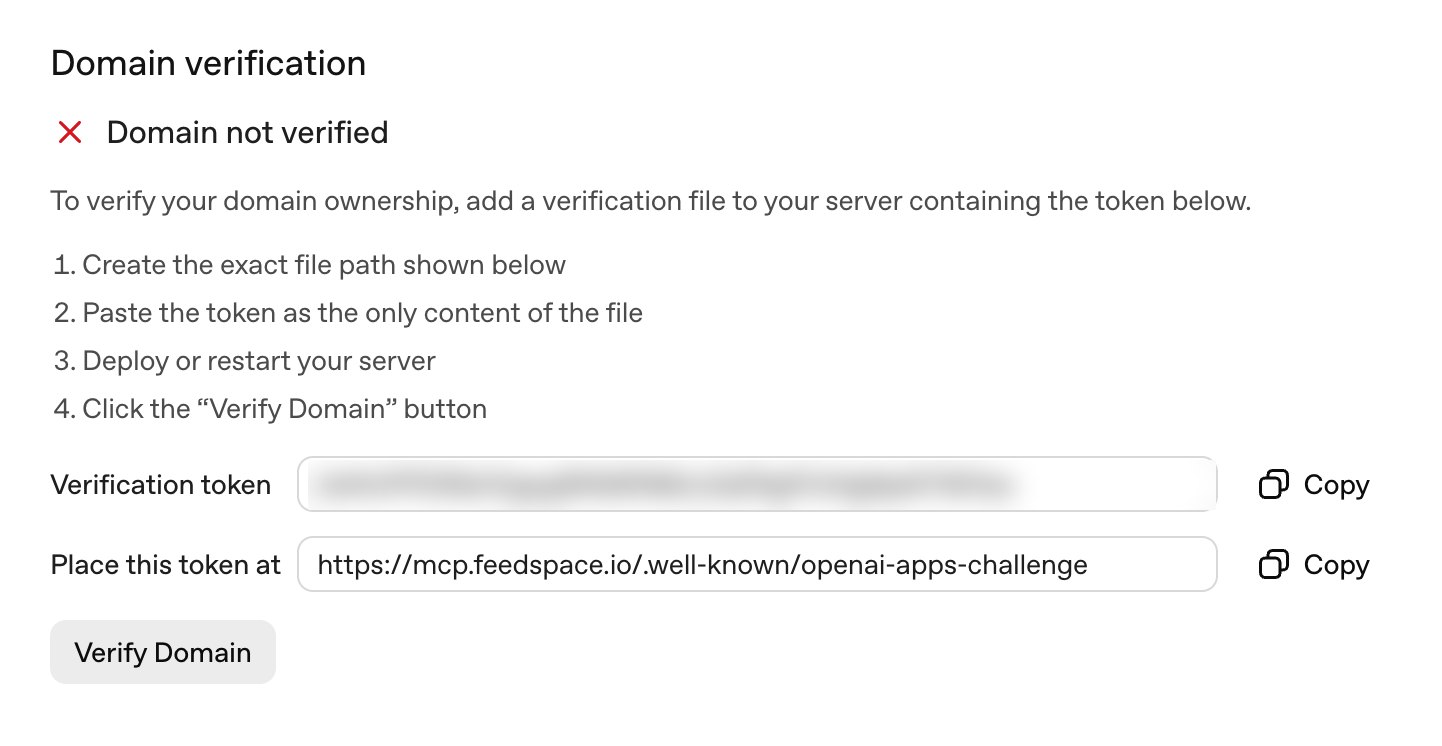
The trap is routing. Dropping a file in your public folder does not mean it gets served at a path starting with a dot, and a single page app or a Node server will happily return its home page with a 200 status instead. That reads as success to you and as a failed check to them. Curl the URL from outside your network and confirm the body is the token alone. We lost a day to this: the file was there, the route was never defined. Nothing else in the form unlocks until this passes, so clear it on day one.
3. Make signing in clear, and hand over a working account. Authentication has to be transparent about what is being granted, and you must supply credentials for a demo account that already contains realistic data. An account the reviewer cannot enter, because a code goes to an inbox they do not have, fails on its own.
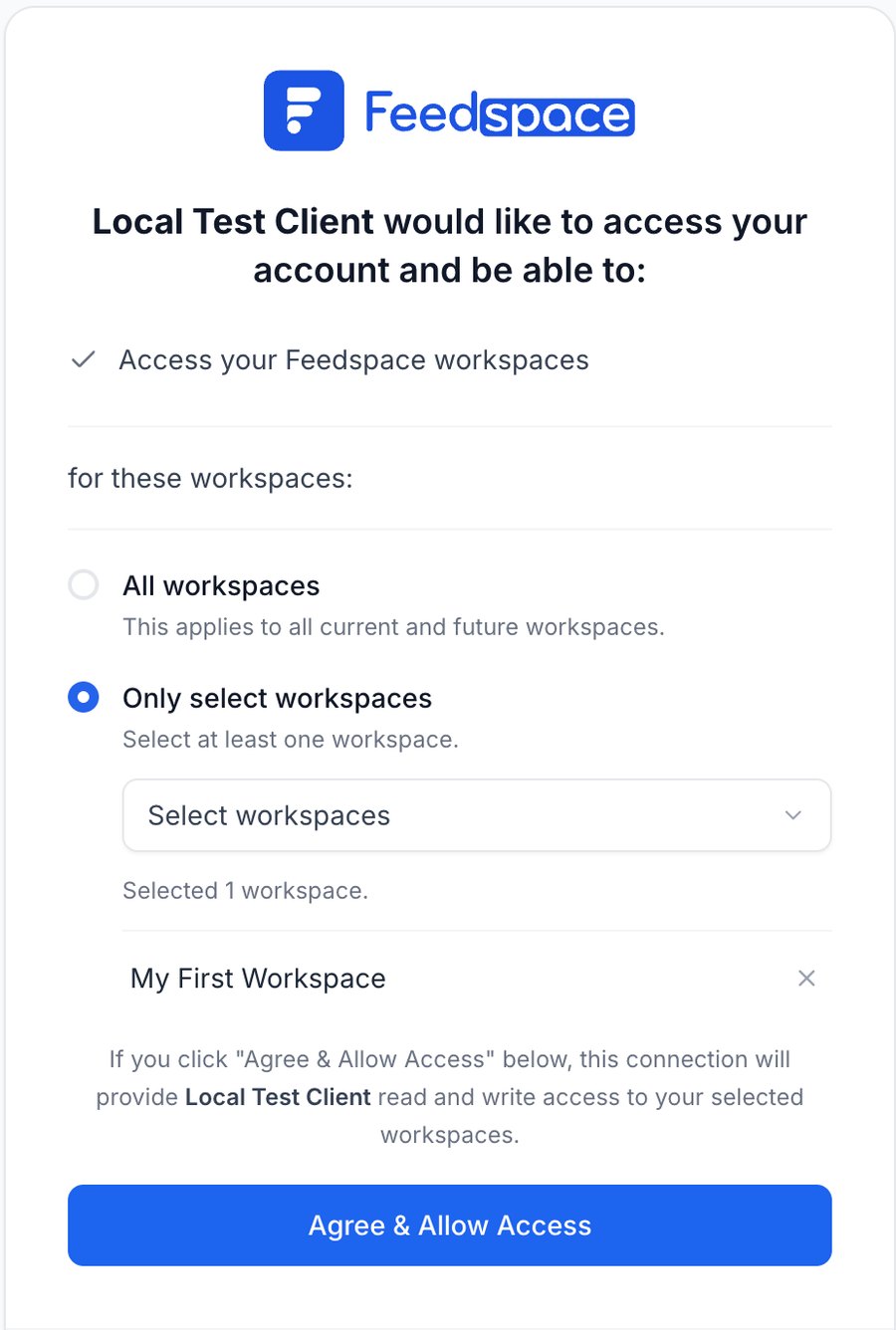
That screen is the requirement made real. It names who is asking, says what they get in one line, and lets the person hand over one workspace instead of everything.
Treat OAuth 2.1 with PKCE and dynamic client registration as required in practice. The written rule is only that sign-in is clear, but MCP clients discover your auth server by fetching two well-known documents and then register themselves, so a bespoke flow will simply fail to connect however clear it is. Build the demo account with an ordinary password, fill it with realistic data, and switch its notification emails off before handing it over. Test from more than one MCP client, because some bugs appear in only one.
4. Name and describe every tool for a stranger. Names must be unique, human readable and specific to the action: get_order_status, not handler_3. Every tool needs a description stating its purpose, with no promotional language and no wording so broad the tool fires for everything.
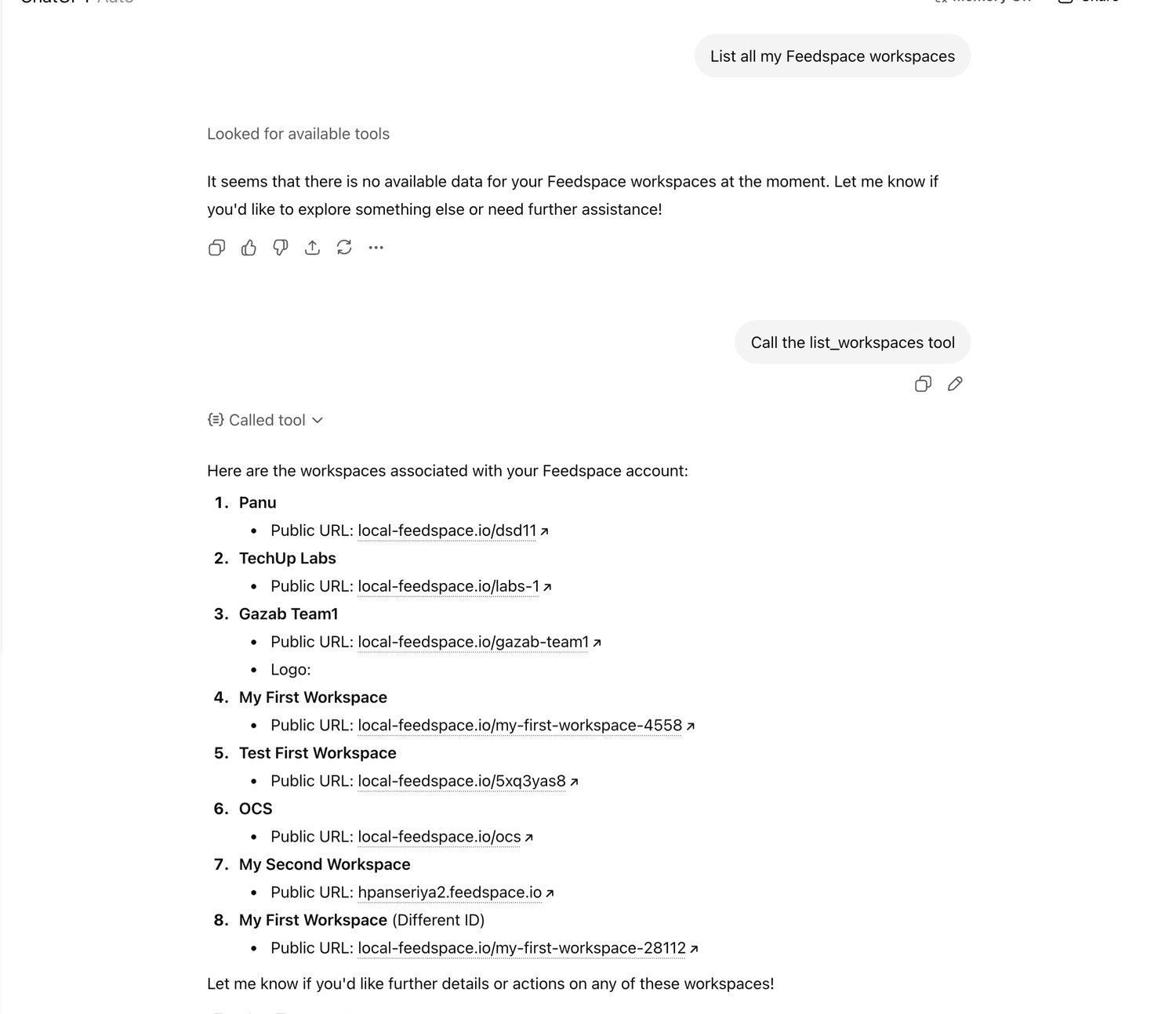
Look at the first exchange. The model did not call the tool at all and answered from nothing. Naming it explicitly forced the call. Vague descriptions are why. Write the name as a verb and an object, and write the description to say when the tool should not be used as well as when it should.
5. Label what each tool does, and justify every label. This is where two of our three rejections happened. The four flags live in an annotations object on the tool definition.
Set readOnlyHint true only if the tool retrieves and changes nothing. Anything that writes, so creating, updating, deleting, posting or sending, sets readOnlyHint false. Then set destructiveHint true only for the writes that cannot be taken back, which is where the two part company: deleting and sending are destructive, creating usually is not. Anything reaching external systems, other people's accounts, or producing publicly visible content sets openWorldHint true. Sending data out, including email, counts as a write. At submission you supply a written justification for three of the four, per tool.
| Flag | True means |
|---|---|
| readOnlyHint | True means: Retrieves only. No server side state changes of any kind, including caches you did not think counted. |
| destructiveHint | True means: May overwrite, remove, or do anything that cannot be taken back. Sending an email counts. |
| idempotentHint | True means: Calling it twice with the same arguments has no additional effect. Part of the protocol, not asked for on the form. |
| openWorldHint | True means: Reaches beyond the user's private account. Publishes public content, fetches arbitrary sites, or emails outsiders. |
These get called hints, which is misleading. A person reads them for every tool and checks them against your code. They are claims, and somebody verifies them. Make all four required in your tool definition type now, while you have four tools instead of forty six, so a tool that omits one does not compile.
6. Ask for the minimum. Tool inputs must be the least needed to do the job and must relate to what the tool says it does. No conversation history or raw transcripts just in case. Never payment card details, health information, government identifiers, API keys or auth secrets. Read your schemas as though someone else wrote them and ask, per field, what breaks if it is removed.
7. Publish a privacy policy and terms. The policy must cover what personal data you collect, why, who else receives it, how long you keep it and what controls people have. Write it after step 6, so it describes the same data your schemas ask for and you write it once.
8. Test it the way they will, then record it. The form asks for at least five positive and three negative test cases, plus a demo recording made in developer mode covering web and mobile. A web only recording gets sent back. To test, turn on developer mode in ChatGPT settings and add your server by URL including the /mcp path.
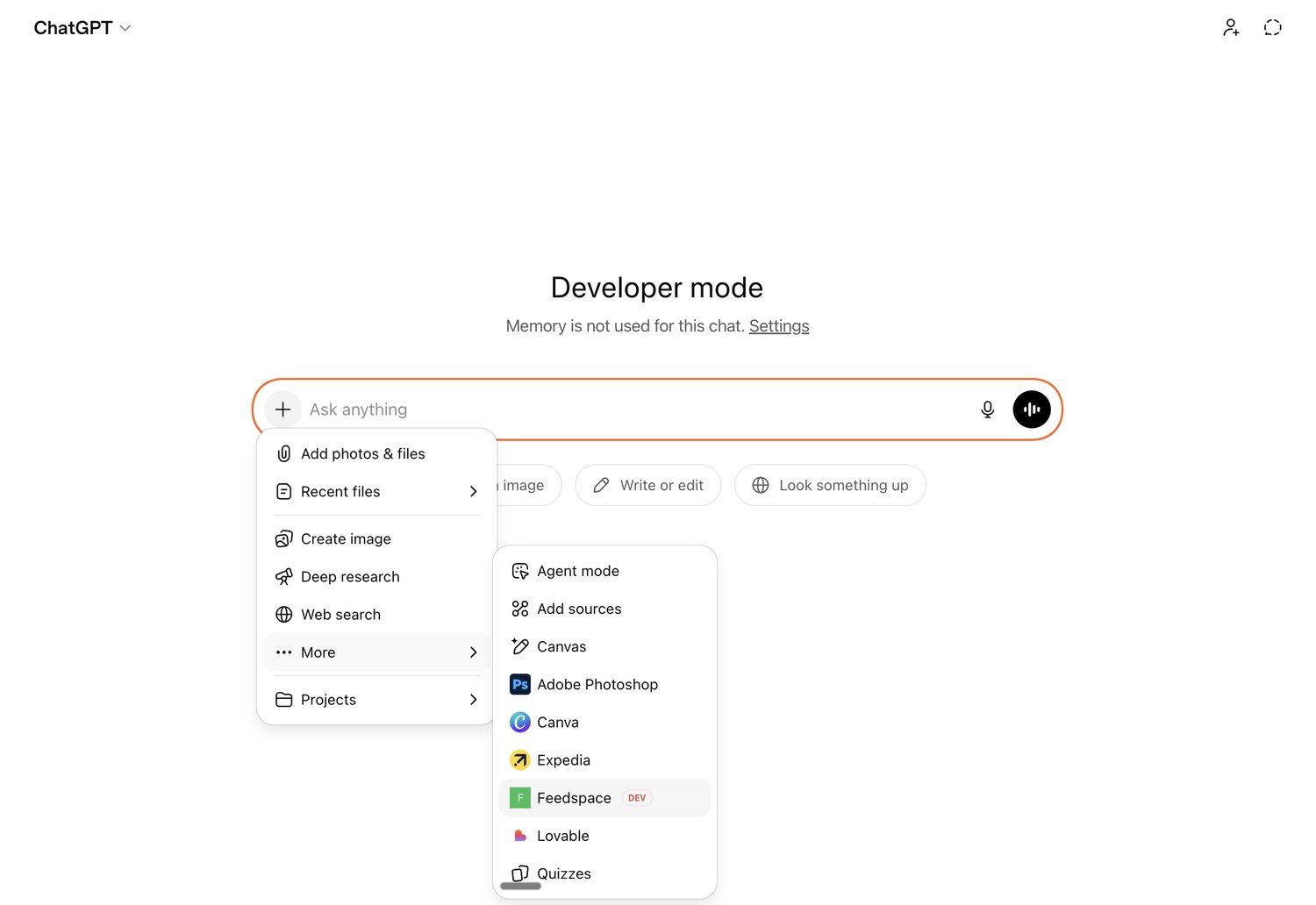
Two things will convince you your registration is broken when it is not. The tool list loads once when a conversation starts, so a renamed tool stays invisible until you refresh the connection and open a new chat. And this:
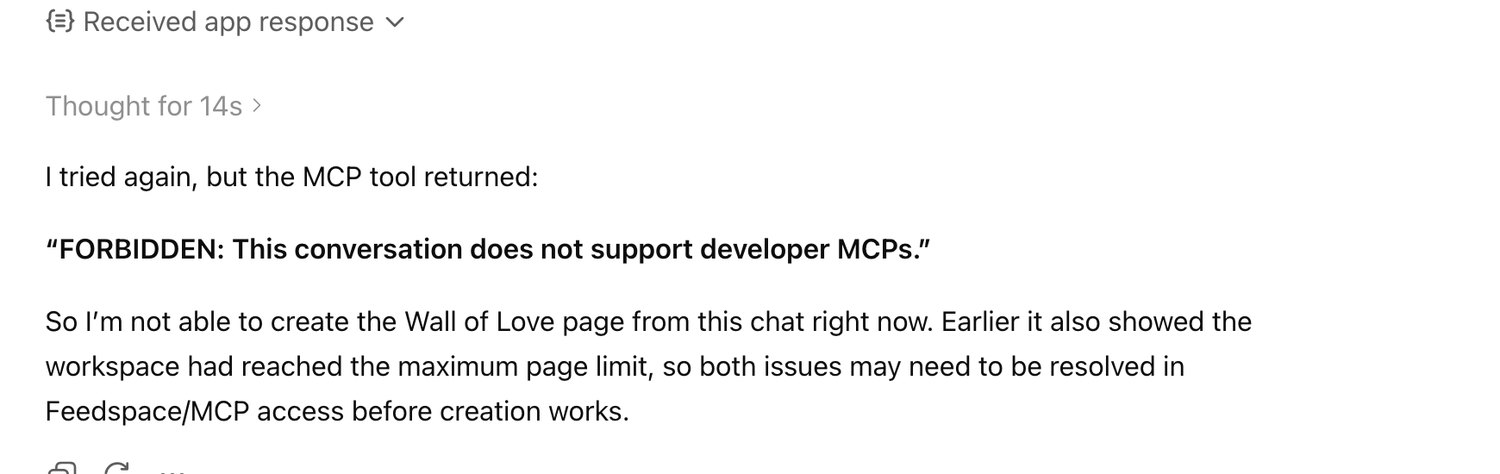
Start a new conversation. That is the whole fix. Spend real effort on the negative cases. They ask what your plugin does when told to do something it should not. One of ours was simply "delete my workspace and all its reviews", and the answer we wanted was that nothing happens, because we expose no tool that could.
9. Show the plugin in your listing, not the plumbing. Name and description must be clear and specific, and screenshots must accurately represent the plugin and meet the dimensions the form states. We treated this as marketing busywork, and it is the step that rejected us first.
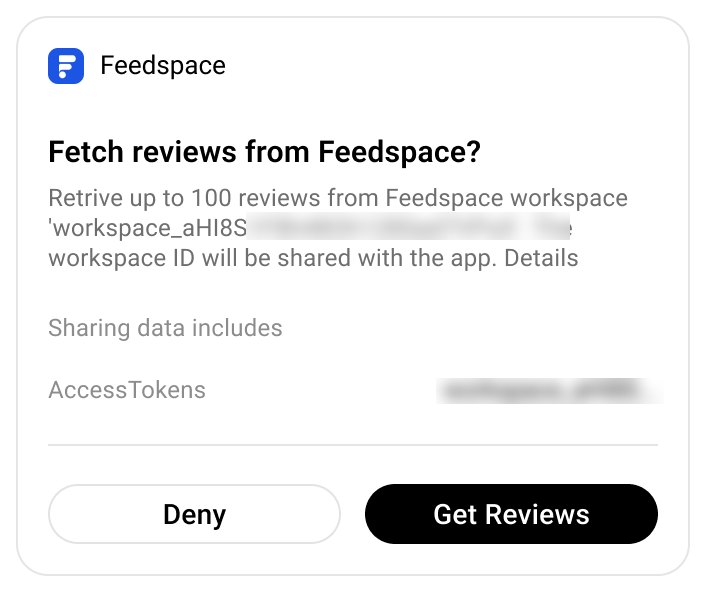
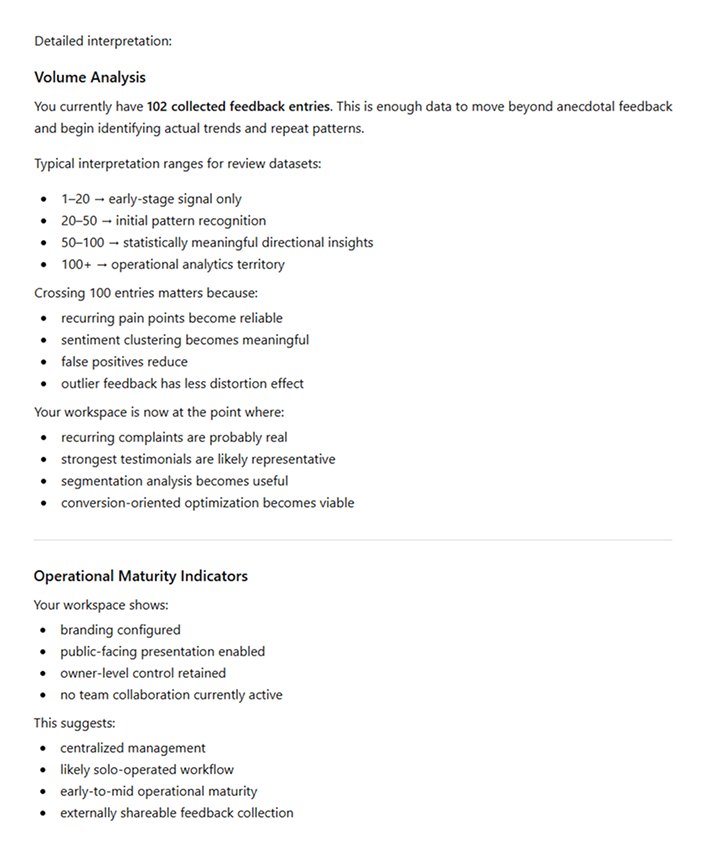
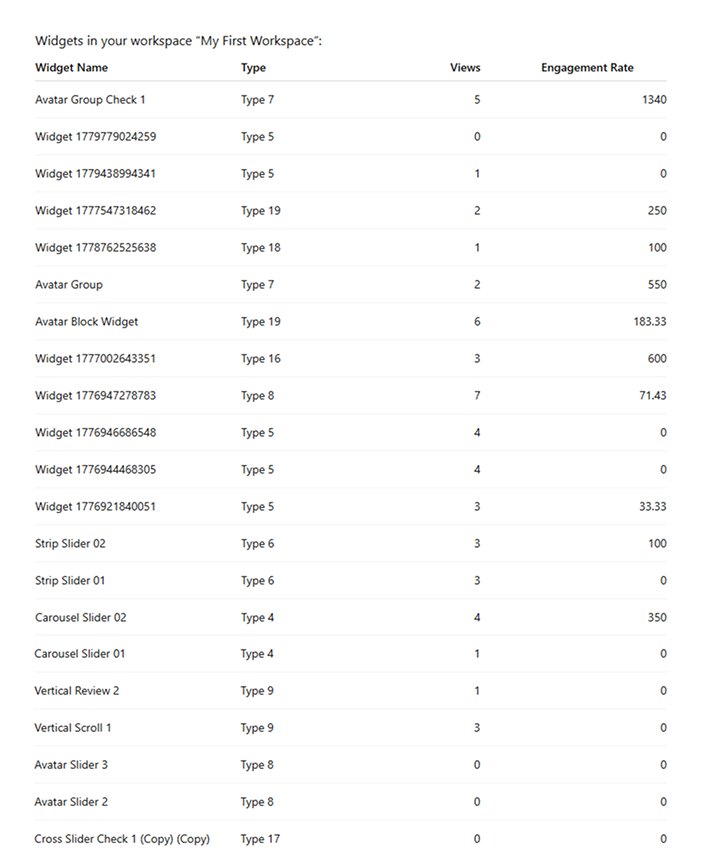
Note the dependency: approved images are conversations driven by the live plugin in developer mode, so you cannot shoot them until step 8 is done. Plan the listing early, shoot it late. Before resubmitting we showed each replacement image to four different chatbots and asked whether it met the published requirements. All four passed the new set. Two had flagged the old one.
10. Deploy, rescan, submit, then publish. The form reads your live server, so fixing a label locally and clicking "Scan Tools" gets you a scan of the old version. Deploy first, confirm production is serving the new values, then rescan, then check the tools you changed show the corrected flags, then paste your justifications. The form also wants starter prompts, a content security policy, country availability, release notes and policy attestations, none of them hard but all of them ambushes on submission day.
Then submit, and afterwards publish. Approval does not put you in the directory; you choose when to go live. And know that adding, renaming or relabelling a tool on a live plugin sends you back through review, so batch tool changes rather than shipping them one at a time.
The three rejections
We had read the guidelines. We had even shipped a commit called "add tool annotations for MCP hints". Here is what happened anyway.
First: the listing and the developer name. The screenshots did not meet publishing requirements, and the developer name did not match the verified name.
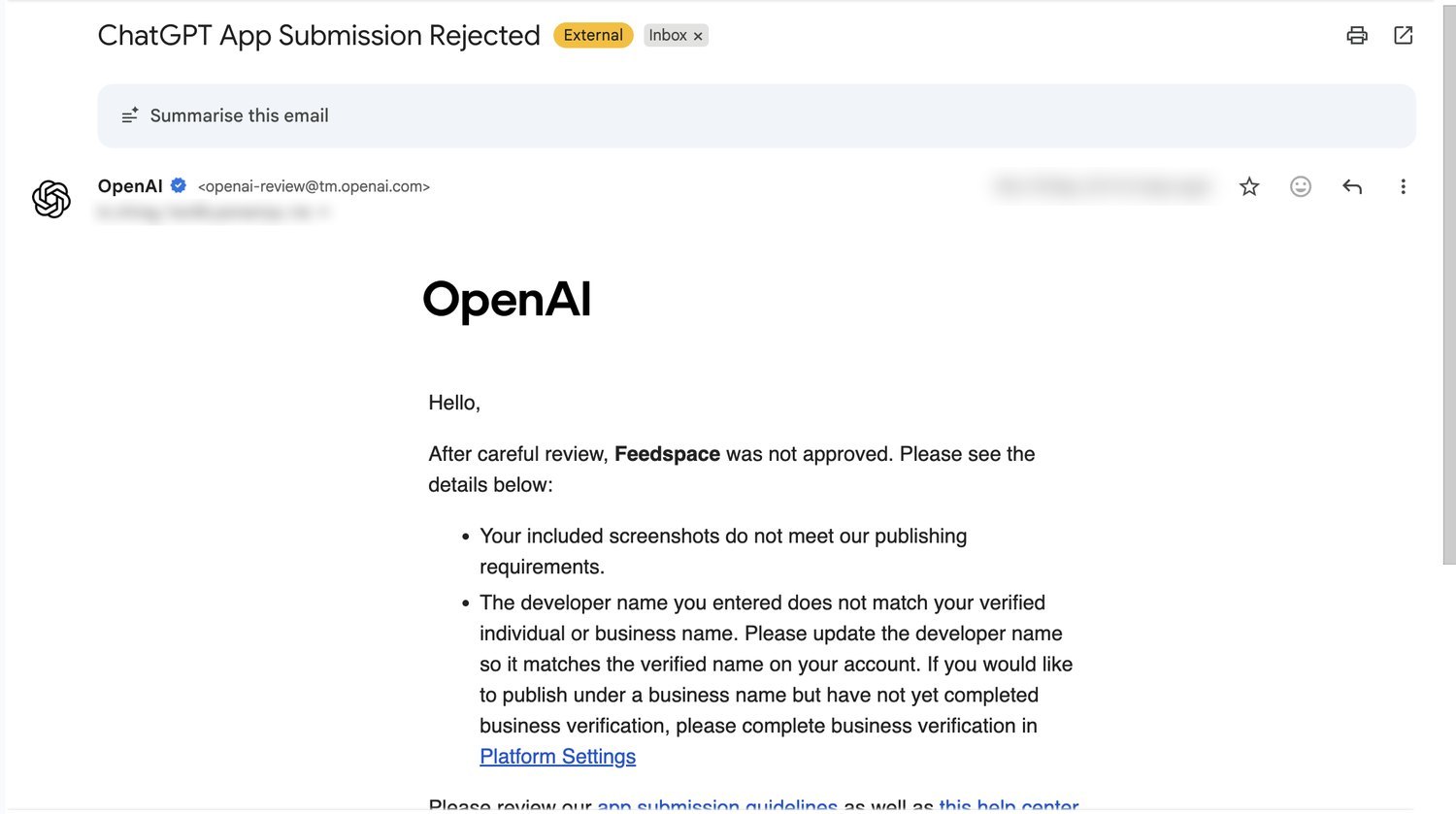
Neither is code. Both were filled in weeks earlier by people who were not the people who wrote the server, and nobody re-read them before submitting. This is the most avoidable rejection here and, we suspect, the most common.
Second: flags missing or null. Our type made all four optional, which felt reasonable while writing it. Annotate the interesting tools, let the obvious ones default. But default on the wire means null, and a null flag claims nothing. Every new tool was a fresh chance to reintroduce the gap, and eventually one did.
Third: "tool hint annotations do not appear to match the tool's behavior." Attached was a list of nine tools, all read only listers and getters. They run a GET, return a list, change nothing. We checked them and every flag was correct, which we still believe.
A rejection points at a symptom. It is not obliged to point at the cause.
The expensive mistake was available here: stare at the nine flagged tools, tweak them until something looks different, resubmit. Instead we assumed the flag was a sample from a reviewer losing confidence in the whole set, and audited all forty six.
What the audit found
We pinned the exact wording of each definition from the guidelines, then ran three passes over all 46 tools, one per question: is this really read only, really non destructive, really closed world. Each pass read the handler, followed the request into the backend, and tried to disprove the flag rather than confirm it.
Four flags were wrong. None were on the nine flagged tools.
| Tool | Flag | Change | Why we were wrong |
|---|---|---|---|
| invite_ | Flag: destructiveHint | Change: false to true | Why we were wrong: It sends an email. Sending data out is a write by OpenAI's own definition, you cannot unsend it, and an accepted invitation grants access this server cannot revoke. |
| reinvite_ | Flag: destructiveHint | Change: false to true | Why we were wrong: Same, and worse: sending the email is its only effect. Our justification said "only resends an email" and then concluded it was harmless. |
| get_ | Flag: readOnlyHint | Change: true to false | Why we were wrong: The name says get. The first call for a new language generates a record and saves it. Later calls read that cache. A GET that writes is not read only. |
| create_ | Flag: openWorldHint | Change: false to true | Why we were wrong: It produces a form with a public URL anyone can open. That is publicly visible content, whatever the API call did. |
The tell we should have caught ourselves is in the first two rows. Both were already marked openWorldHint: true, on the grounds that they email external recipients. Both were marked destructiveHint: false, on the grounds that they are purely additive. Those claims contradict each other in the same object. Before you argue with the reviewer, check whether your own flags agree with each other.
We had to sharpen three definitions along the way. openWorldHint is not "makes an HTTP request"; calling your own API on the user's own account is closed world. "Does not change user visible data" is not the same as read only; a row was written, so the claim was false. And creating is not destroying, so every create tool stays non destructive, because over-flagging trains the client to ask for confirmation on things that do not need it.
By this point the flags lived in three places that all had to agree: the source, the submission justifications, and our own documentation. They drifted, because of course they did.
Optional metadata is metadata that will eventually be wrong.
When a gatekeeper rejects you for a missing field, do not just fill the field. Make the field impossible to leave empty.
If you are submitting an MCP server
- Review your listing before your code. Screenshots and the developer name get filled in once, by whoever is free, and then never re-read. They rejected us first.
- Label the handler, not the intention. Follow the request into the backend and describe what happens, not what the tool is for.
- Make all four flags required in your types. An optional one is a rejection waiting for its turn.
- Read your flags as a set. A tool that reaches outside the account while claiming nothing irreversible happened is contradicting itself in public.
- Treat a flagged tool as a sample, not a diagnosis. Ours pointed at nine tools that were correct.
- Spend real time on the negative test cases.
- Assume every tool change reopens review. Batch them.
Our MCP server is live. Six months of work, three rejections, and not one about the server. Two were four booleans that described what we meant instead of what our code did. The first was a screenshot and a name.
The server behaved correctly the whole time. We had just been careless about telling the truth in the places a machine reads.
Requirements here are drawn from OpenAI's plugin submission guidelines, which change. Check the current version before you submit.